Resources
Guide
Video generation for ecommerce marketing
Create short marketing videos from text or product images, choose duration and aspect ratio carefully, and understand why video tasks take longer than image generation.
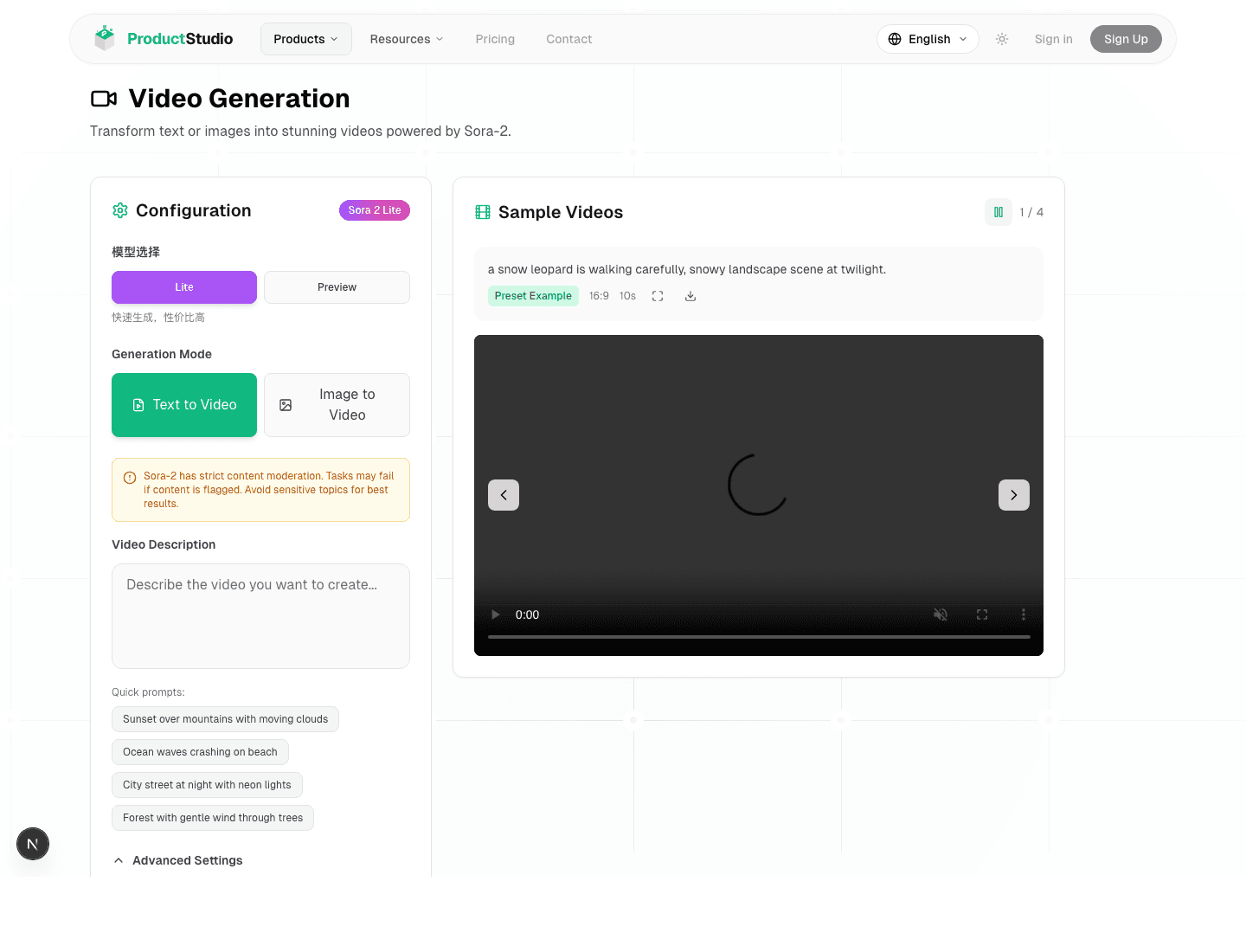
Choose text-to-video or image-to-video
| Mode | Use it when | Input |
|---|---|---|
| Text-to-video | You can describe the product scene, camera motion, and mood from scratch | Prompt |
| Image-to-video | You already have a product image and want motion around it | Product image and motion prompt |
Text-to-video flow
- 1Open the video generator.
- 2Choose text-to-video mode.
- 3Describe the subject, action, camera movement, scene, style, and duration.
- 4Open advanced settings and confirm aspect ratio and duration.
- 5Click Generate Video and wait for the result to finish before downloading.
Image-to-video flow
- 1Upload the product image you want to animate.
- 2Describe how the camera should move and how the product should be shown.
- 3Avoid asking for changes that would make the product unrecognizable.
- 4Generate a short test first before spending credits on a longer version.
Duration, aspect ratio, and credits
| Setting | Guidance |
|---|---|
| Aspect ratio | Match the target channel, such as square, vertical short video, or widescreen. |
| 5-second video | Use for quick product motion tests. It is cheaper than a 10-second run. |
| 10-second video | Use when you need more camera movement or a fuller product story. It is about 460 credits. |
| Prompt | Keep the product, action, camera, scene, and style clear. Avoid unnecessary brand marks or sensitive content. |
Why video generation is slower
Video generation usually takes longer than image generation. A high-quality video can take 2 to 5 minutes, and the page checks status until the task is complete.
- Do not repeatedly click the generation button while one task is running.
- Keep the page open until the result is ready.
- If a task fails after credits were deducted, ProductStudio handles eligible credit returns through the failure flow.
Video FAQ
Why is the free credit balance not enough for video?
The free 50-credit welcome balance is enough to test some image generation, but video tasks cost more because they process multiple frames over time.
What should I include in a video prompt?
Include the product, action, camera movement, setting, visual style, duration, and anything that should not appear in the output.
Related resources
ManualGetting StartedAccount setup, login, email verification, credits, and the basic input requirements before your first generation.Open resourceGuideMarketing WorkflowUpload product assets, review AI analysis, plan copy, generate materials, and manage workspace output.Open resourceManualCredits, History, and FAQCredits, pricing, usage history, downloads, failed generation handling, and pre-publish checks.Open resource
PRODUCTSTUDIO